
From accepted engagementto a prepared kickoff.
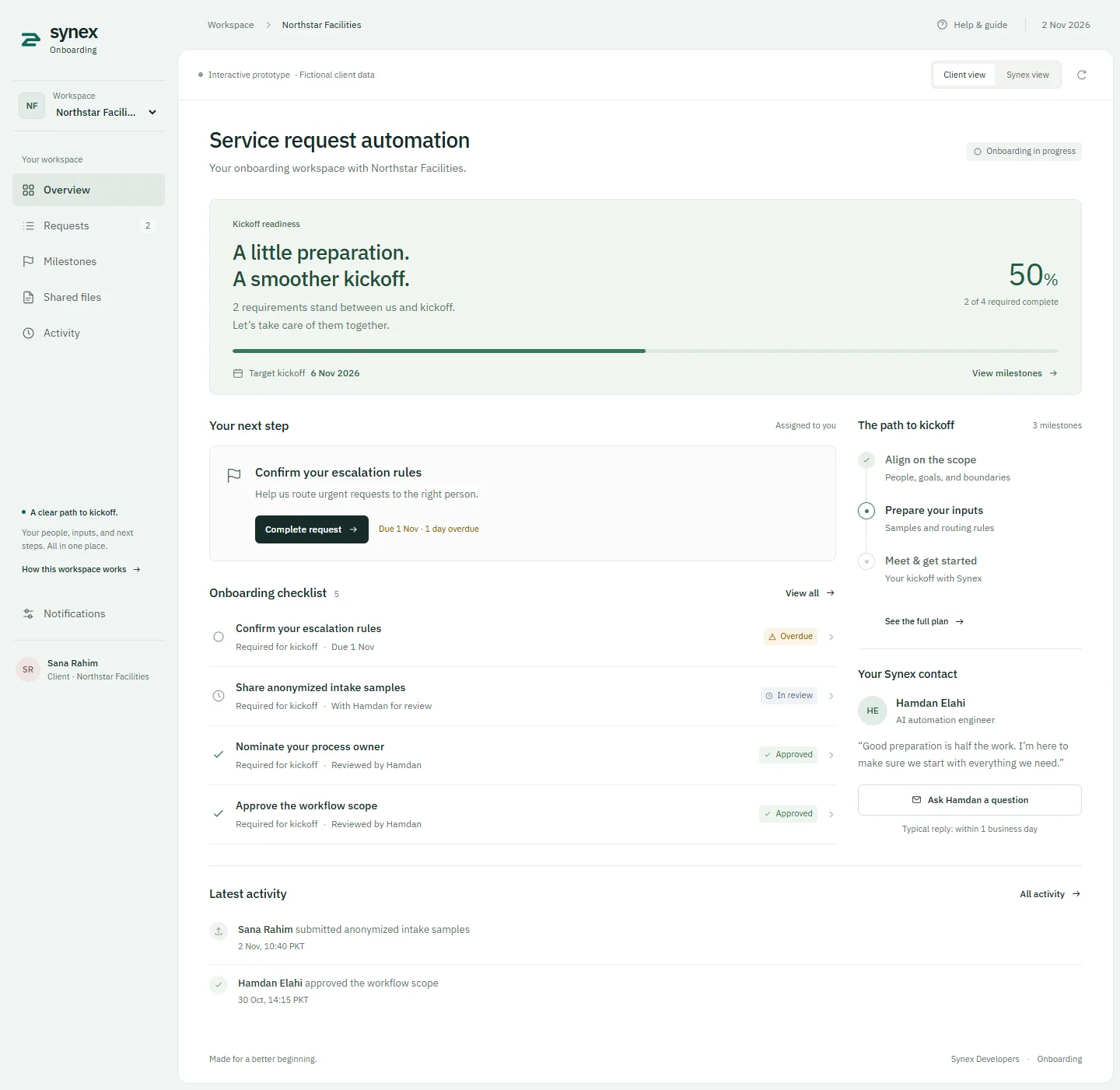
A working client onboarding prototype with shared requests, manager reviews, milestones, files and a clear view of what is blocking kickoff.
- BUILT BY
- Hamdan · Synex Developers
- CLIENT WORKSPACE
- Northstar Facilities · fictional
- INTERACTION
- Framer Motion · reduced-motion support
A clearer beginning.
For everyone involved.
Start as the client. Submit an outstanding request, then switch to Synex view to review it. Ask for a revision or approve the work. Required approvals move kickoff readiness forward; optional requests never hold it up.
Fictional data saved in your browser. No real invitations, emails or Make jobs.
What is blocking kickoff?
And who owns the next step?
Accepted engagements can stall while responsibilities, documents and review decisions are scattered across messages. Clients need a clear next action; the agency needs to see which input or decision is holding up kickoff.
The client sees a focused action list. Synex sees submissions awaiting review, blockers across engagements, and a separate recovery view for simulated reminder failures.
Real interactions.
A shared understanding.
Prepare the workspace
Create a fictional engagement with an onboarding checklist and named client contact.
Share the right inputs
Save drafts, attach anonymized examples and submit requests for review.
Review with clear feedback
Approve a submission or request a specific revision from the manager view.
See what blocks kickoff
Track required approvals separately from optional requests and notification delivery.
Confirm the beginning
Confirm kickoff only after required requests are approved; retain the activity history.
Useful to work in.
Honest about its scope.
Drafts, revisions, local attachments, downloads, saved preferences and kickoff confirmation work together. Dialog and navigation feedback use Framer Motion. Reduced-motion mode preserves all content and actions.
Current scope
- Fictional organizations and browser-local data; this is an interactive portfolio prototype.
- Role switching demonstrates the experience, not real authentication or tenant security.
- Files remain in browser storage. No server upload or malware scan is performed.
- Email, invitation delivery, calendar integrations and Make workflows are not connected.
- The planned transactional backend, private storage and authorization remain future implementation work.
The production architecture keeps authorization, state transitions and delivery records in the backend. Make is an optional delivery adapter, never the database or permissions layer.